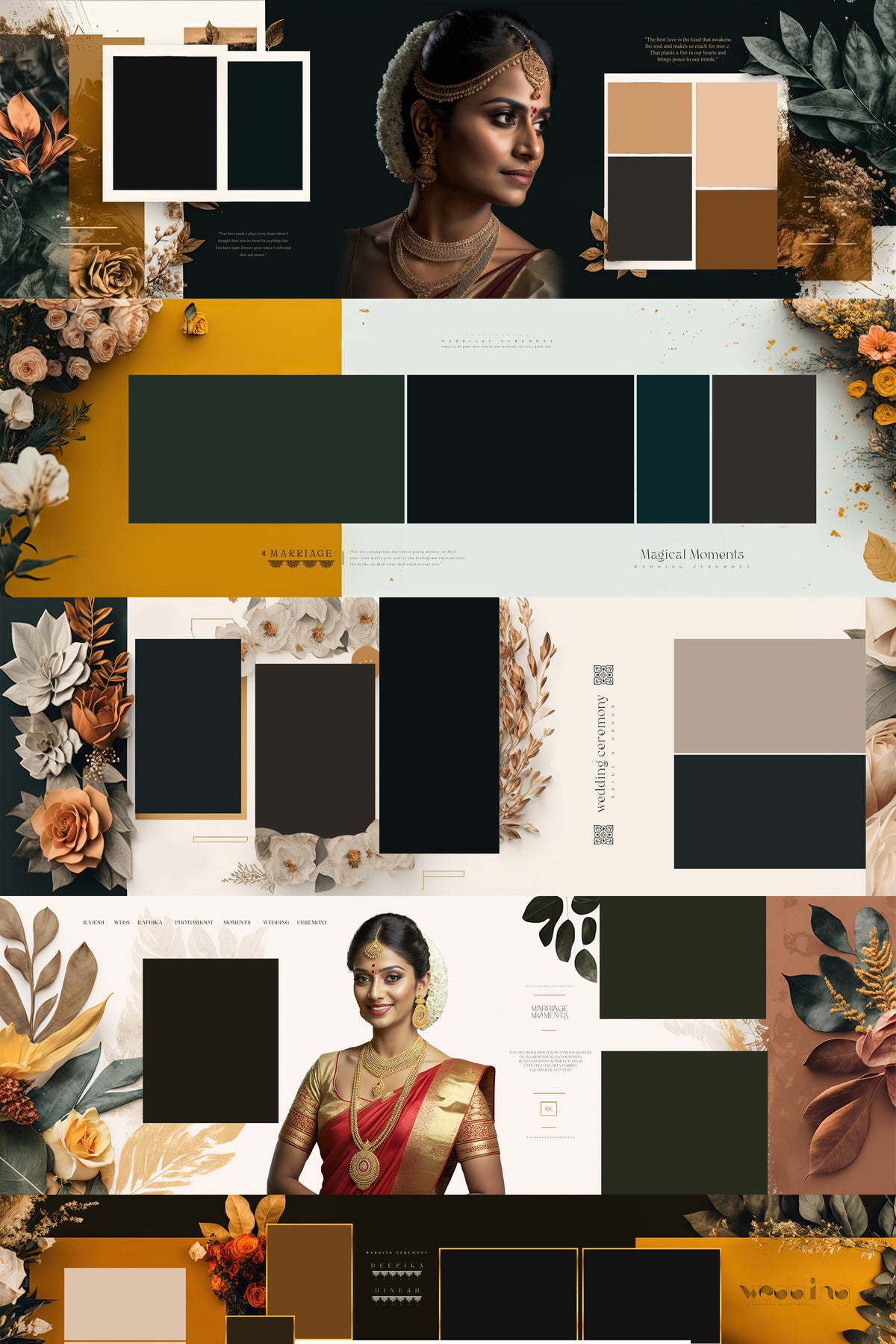
40 PREIMIUM WEDDING ALBUM PSD COLLECTION PACK
Rs. 499.00 Rs. 699.00

Album design workflow
Technical specifications, print sizes, and editing workflow for our wedding album spreads.
All spreads are created in industry-standard lab print dimensions: 12x36 inches (panoramic spreads) and 12x30 inches at 300 DPI high-resolution CMYK/RGB color profiles. They scale down effortlessly to 10x30 or 12x24 without losing sharpness.
Yes. Every image placeholder uses a Smart Object or labeled clipping mask. Double-click the layer, add your client's photo, and save to place it within the frame; color grading and border shadows are included in the design.
The templates are compatible with Adobe Photoshop CC, including CC 2018 and later releases, on Windows and macOS. Files are layered and unmerged.
Yes, typography, quotes, dates, and name headings are editable text layers. A dedicated text document includes download links for the free commercial fonts used in the templates.
Bleed margins, safe trim zones, and spine guidelines are marked with Photoshop guides. After placing your photos, export as JPEG or TIFF at 300 DPI and confirm the preferred color profile and file specifications with your chosen album lab.
You receive lifetime download access and customer support. For help or a replacement download link, contact us on WhatsApp at +91 70675 49982 with your order ID.